AxiomBlueprint
Network and homelab

Proxmox VM and Container Resource Allocation Planner

Check vCPU-to-thread ratio, RAM commitment and thin-provisioned storage before you add the next VM. What you get: Excel planner (example + blank): host hardware, N+1 node-loss option, 80 guest rows with qty and running flag, vCPU...

$15one-time price, instant download

Buy now for $15
  • Checkout runs on Gumroad, which takes payment, sends your receipt and delivers the files.
  • Problem with a file? Message us and we will fix or replace it. Refund terms.

Formats: Excel (.xlsx)

Try a free working sample first →

What you can check before you buy

v1.0version · file dated Oct 14, 2026
4visible sheets in the workbook
340formulas, all readable in the cells
0formula error cells after a full recalculation
nonemacros in the spreadsheet file

Checked on Oct 14, 2026: the workbook virtualization-resource-planner-BLANK.xlsx was opened and fully recalculated in LibreOffice and no cell showed an error. This is our own check against the sold file, not an outside audit. The template was drafted with AI assistance; its formulas are checked with automated tests and worked examples.

Inside the workbook (from the real file)

input cellformula (hover for the formula)heading

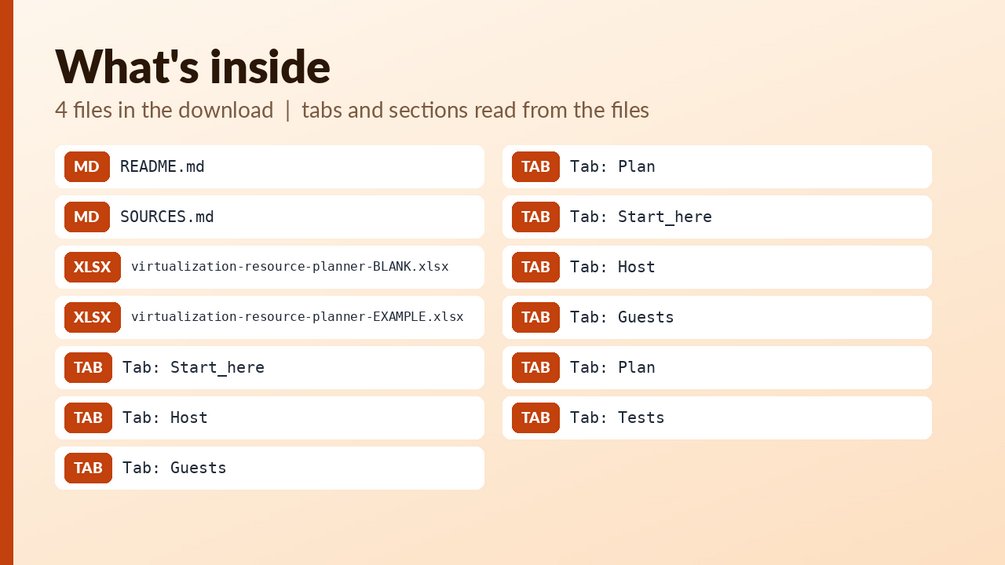
Sheet: Start_here (12 rows, 7 columns)
Proxmox / Hypervisor VM Resource A
Works for Proxmox VE and any hyper
1. Sheet 'Host': nodes, cores and
2. Sheet 'Guests': one row per gue
3. Sheet 'Plan': vCPU-to-thread ra
The limits (4:1 vCPU per thread, 1
Storage uses decimal GB (1 TB = 10
Honest limits: this is a budget ca
Colour key: yellow = you type her
Created with AI assistance and rev
Sheet: Host (17 rows, 7 columns)
Hardware
Number of nodes
Physical cores per node
Threads (logical CPUs) per node
RAM per node (GB)
RAM reserved per node (GB)
Usable storage pool, total (TB)
Plan to survive loss of one node?
Limit: vCPU per thread
Limit: RAM allocated / RAM usable
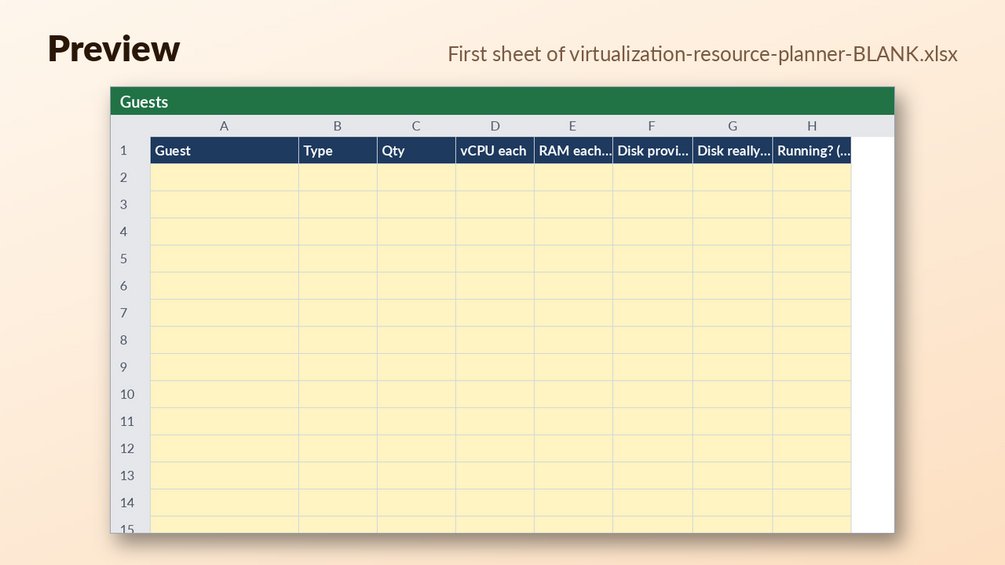
Sheet: Guests (81 rows, 12 columns)
GuestTypeQtyvCPU eachRAM each (GB)Disk provisioned each (GB)Disk really used each (GB)

Preview shows the first rows of each sheet as calculated. Your copy has the full sheets.

What is in the download

Who it is for

  • Homelab owners running Proxmox VE, ESXi, Hyper-V or KVM who want to check vCPU-to-thread ratio, RAM commitment and thin-provisioned storage before adding the next VM.
  • Students learning capacity planning who want a worked example where every formula can be seen working.
  • Anyone who wants to enter host hardware, an optional N+1 node-loss case and up to 80 guest rows, then see how many more guests of a chosen size fit.

Who it is not for

  • Not a monitoring tool: it does not read your hypervisor, so you type in the host and guest numbers yourself.
  • Not for anyone who wants live usage graphs or alerts, since the sheet only reflects the figures you enter.
  • Not a replacement for your own judgment on limits: the default limits are adjustable starting values, not Proxmox rules.

About this template

Check vCPU-to-thread ratio, RAM commitment and thin-provisioned storage before you add the next VM.

What you get: Excel planner (example + blank): host hardware, N+1 node-loss option, 80 guest rows with qty and running flag, vCPU per thread/core, RAM ratio, provisioned vs used disk, status flags against YOUR limits, and how many more guests of a chosen size fit; 15 built-in tests.

Who it is for: Proxmox VE, ESXi, Hyper-V or KVM homelab owners and students learning capacity planning.

Files:

  • `virtualization-resource-planner-BLANK.xlsx`
  • `virtualization-resource-planner-EXAMPLE.xlsx`

How to use: open the EXAMPLE file first to see every formula working (yellow cells = your inputs, blue-grey = formulas); then use the BLANK file for your own data. See Start_here sheet / included notes. Test examples are in the Tests sheet or `--selftest` where included.

What it is NOT: Not a monitoring tool; it does not read your hypervisor. Default limits are adjustable starting values, not Proxmox rules.

Questions

What file types do I get?

One Excel (.xlsx) planner, delivered as two files: an EXAMPLE workbook and a BLANK workbook. The download also includes README.md and SOURCES.md.

Can I edit the formulas and limits?

Yes. Yellow cells are your inputs and blue-grey cells are formulas. The status flags are checked against your own limits, and the default limits can be changed.

How do I start?

Open the EXAMPLE file first to see every formula working. Then use the BLANK file for your own data, and see the Start_here sheet for notes. The workbook also has 15 built-in tests.
Refunds: refunds follow the rules of the marketplace where you buy; if a file is broken we fix or replace it (details). It is a planning tool, not tax, legal, financial or engineering advice. Check rates, limits and rules against the official source before you rely on them. How we check our files.

Free tools that go with it

Guides

More from Network and homelab