AxiomBlueprint
Network and homelab

Backup 3-2-1 Plan Worksheet for Home Labs

Check each dataset against 3-2-1, your recovery targets and your real restore and upload speeds. What you get: Excel planner (example + blank): per-dataset 3-2-1 PASS/FAIL with the missing items named, RPO and RTO checks, restore...

$12one-time price, instant download

Buy now for $12
  • Checkout runs on Gumroad, which takes payment, sends your receipt and delivers the files.
  • Problem with a file? Message us and we will fix or replace it. Refund terms.

Formats: Excel (.xlsx), Word (.docx)

Try a free working sample first →

What you can check before you buy

v1.0version · file dated Oct 14, 2026
4visible sheets in the workbook
286formulas, all readable in the cells
0formula error cells after a full recalculation
nonemacros in the spreadsheet file

Checked on Oct 14, 2026: the workbook backup-321-planner-BLANK.xlsx was opened and fully recalculated in LibreOffice and no cell showed an error. This is our own check against the sold file, not an outside audit. The template was drafted with AI assistance; its formulas are checked with automated tests and worked examples.

Inside the workbook (from the real file)

input cellformula (hover for the formula)heading

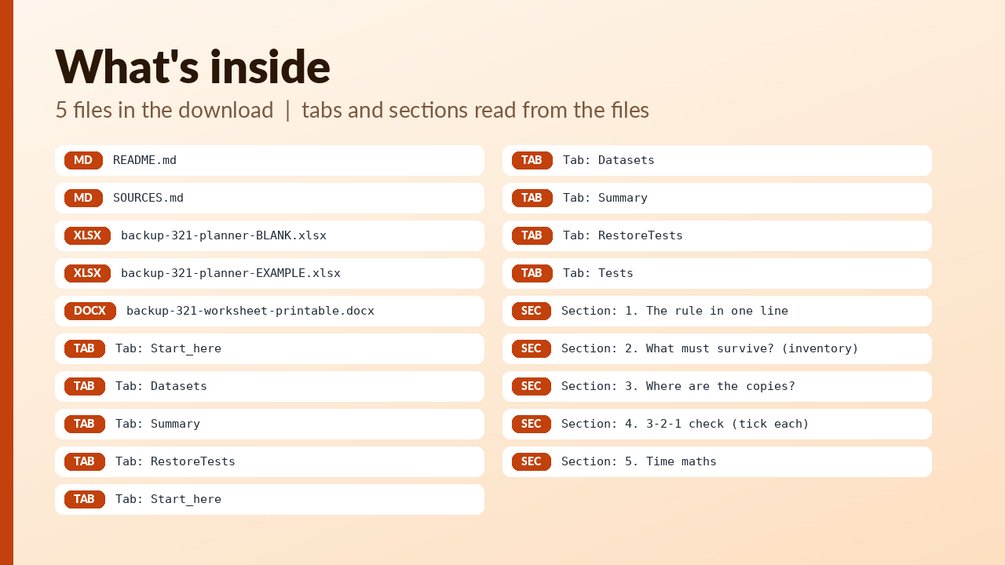
Sheet: Start_here (11 rows, 7 columns)
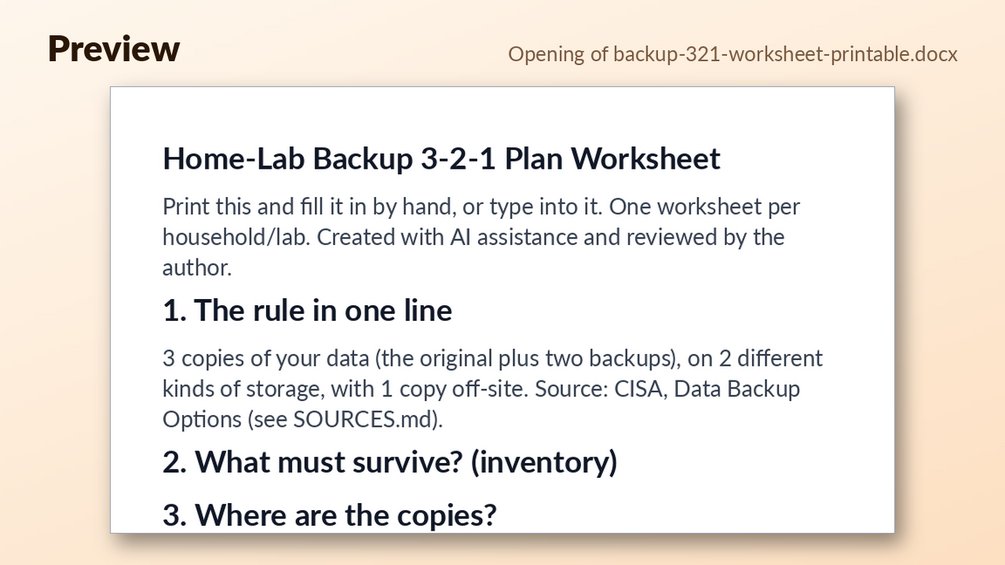
Backup 3-2-1 Plan Worksheet (home
The 3-2-1 rule: keep at least 3 co
1. Sheet 'Datasets': list every da
2. The sheet marks PASS/FAIL for 3
3. Restore time = size (GB) x 8000
4. Sheet 'RestoreTests': log each
This sheet does not make backups -
Colour key: yellow = you type her
Created with AI assistance and rev
Sheet: Datasets (41 rows, 18 columns)
DatasetSize (GB)Change per day (GB)RPO target (h)Backup interval (h)RTO target (h)Copies (incl. original)
Sheet: Summary (8 rows, 7 columns)
Plan summary
Datasets listed0
3-2-1 PASS0
3-2-1 FAIL0
Total data (GB)0
Slowest restore (h)0
RTO misses0

Preview shows the first rows of each sheet as calculated. Your copy has the full sheets.

What is in the download

Who it is for

  • Anyone with data they cannot afford to lose, such as photos, documents, VMs or a home server.
  • Home lab owners who want to check each dataset against the 3-2-1 rule and see which copies or locations are missing.
  • People who want to test their recovery targets (RPO and RTO) against their real restore and upload speeds before something fails.

Who it is not for

  • Not backup software and not tied to any tool: it does not run, schedule or verify backups for you.
  • Not for anyone who wants an automated tool. It checks whether your plan on paper is sound, and you enter the numbers yourself.
  • Does not replace actually testing a restore. It gives you a log to record tests, but you have to do them.

About this template

Check each dataset against 3-2-1, your recovery targets and your real restore and upload speeds.

What you get: Excel planner (example + blank): per-dataset 3-2-1 PASS/FAIL with the missing items named, RPO and RTO checks, restore time, daily upload time and off-site seeding days, restore-test log; printable DOCX worksheet with inventory, copy map, checklist and test log; 12 built-in tests.

Who it is for: Anyone with data they cannot afford to lose: photos, documents, VMs, a home server.

Files:

  • `backup-321-planner-BLANK.xlsx`
  • `backup-321-planner-EXAMPLE.xlsx`
  • `backup-321-worksheet-printable.docx`

How to use: open the EXAMPLE file first to see every formula working (yellow cells = your inputs, blue-grey = formulas); then use the BLANK file for your own data. See Start_here sheet / included notes. Test examples are in the Tests sheet or `--selftest` where included.

What it is NOT: Not backup software and not tied to any tool. It tells you whether your plan on paper is sound; it does not run backups.

Questions

What file types do I get?

Two Excel files (a filled-in EXAMPLE and a BLANK planner) and one printable Word (.docx) worksheet. A README.md and SOURCES.md are also included.

Can I edit the formulas?

The planner has 286 formulas across 4 sheets. Yellow cells are your inputs and blue-grey cells are formulas. The description does not say whether the sheets are locked.

How do I start?

Open the EXAMPLE file first to see every formula working, then switch to the BLANK file and enter your own data. The Start_here sheet and the included notes explain the steps.
Refunds: refunds follow the rules of the marketplace where you buy; if a file is broken we fix or replace it (details). It is a planning tool, not tax, legal, financial or engineering advice. Check rates, limits and rules against the official source before you rely on them. How we check our files.

Free tools that go with it

Guides

More from Network and homelab