AxiomBlueprint
Network and homelab

Home Lab UPS Runtime Calculator

How long will my UPS last, and how big a battery do I need? With efficiency, depth of discharge and battery ageing. What you get: Excel calculator (example + blank): load list with duty cycle, VA and load % check, battery Wh,...

$12one-time price, instant download

Buy now for $12
  • Checkout runs on Gumroad, which takes payment, sends your receipt and delivers the files.
  • Problem with a file? Message us and we will fix or replace it. Refund terms.

Formats: Excel (.xlsx), Python script

Try a free working sample first →

What you can check before you buy

v1.0version · file dated Oct 14, 2026
3visible sheets in the workbook
53formulas, all readable in the cells
0formula error cells after a full recalculation
nonemacros in the spreadsheet file

Checked on Oct 14, 2026: the workbook ups-runtime-calculator-BLANK.xlsx was opened and fully recalculated in LibreOffice and no cell showed an error. This is our own check against the sold file, not an outside audit. The template was drafted with AI assistance; its formulas are checked with automated tests and worked examples.

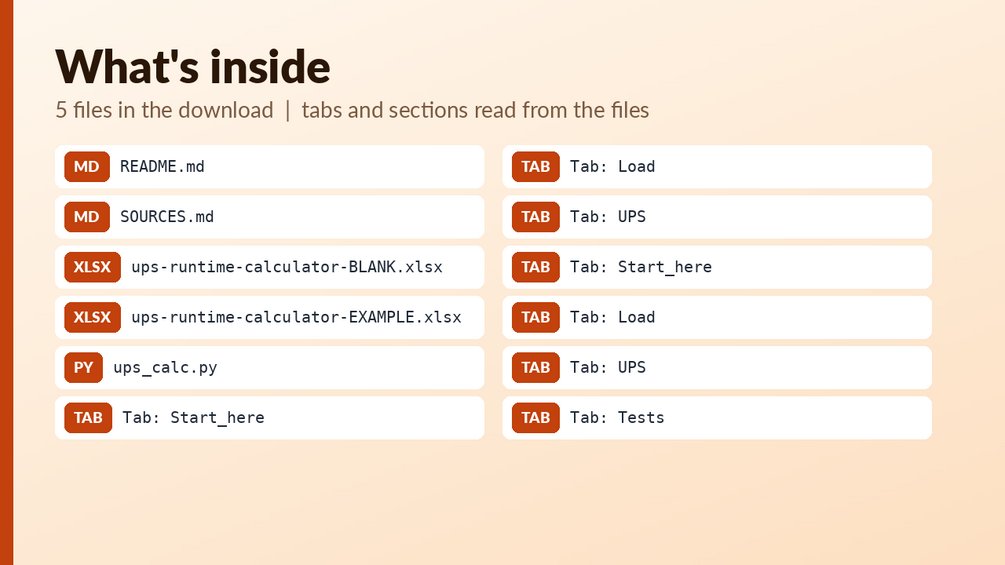
Also included: ups_calc.py (a plain Python script you can read before running; no spreadsheet macros).

Inside the workbook (from the real file)

input cellformula (hover for the formula)heading

Sheet: Start_here (11 rows, 7 columns)
Home-Lab Power + UPS Runtime Calcu
1. Sheet 'Load': list every device
2. Sheet 'UPS': enter the battery
3. Read: required VA, load % of th
Model: runtime (h) = battery Wh x
LIMIT: real UPS runtime is not lin
The 80 % load threshold is a start
Colour key: yellow = you type her
Created with AI assistance and rev
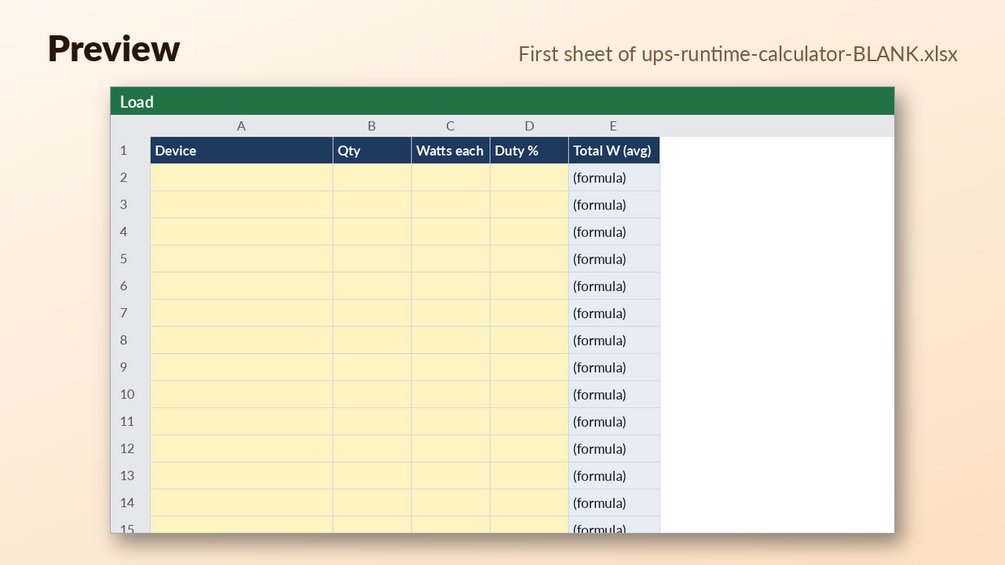
Sheet: Load (41 rows, 7 columns)
DeviceQtyWatts eachDuty %Total W (avg)
Sheet: UPS (29 rows, 7 columns)
UPS and battery
Battery voltage (V)
Amp-hours per battery (Ah)
Number of batteries
Inverter efficiency (%)
Usable depth of discharge (%)
Battery health (% of new capacity)
UPS power factor (W / VA)
UPS rated watts (W)
Your max-load threshold (%)

Preview shows the first rows of each sheet as calculated. Your copy has the full sheets.

What is in the download

Who it is for

  • Anyone protecting a NAS, router, switch or small server with a UPS or a DIY battery backup.
  • People who want to estimate how long a UPS will last, using their own load list, efficiency, depth of discharge and battery ageing.
  • People who need to size a battery: enter a target runtime and see the required Wh, Ah and number of extra batteries.

Who it is not for

  • Not a replacement for the manufacturer's runtime chart. Real runtime is non-linear, so treat the results as estimates.
  • Not a safety certification for DIY battery systems. It does not check wiring, fusing, charging or cell safety.
  • Not for anyone who wants a ready-made app. It is a spreadsheet plus a Python command-line script, and you enter your own loads and battery details.

About this template

How long will my UPS last, and how big a battery do I need? With efficiency, depth of discharge and battery ageing.

What you get: Excel calculator (example + blank): load list with duty cycle, VA and load % check, battery Wh, usable Wh, runtime in hours/minutes, target runtime to required Wh/Ah/extra batteries, yearly kWh; Python CLI; 9 workbook tests + 7 script tests.

Who it is for: Anyone protecting a NAS, router, switch or small server with a UPS or a DIY battery backup.

Files:

  • `ups-runtime-calculator-BLANK.xlsx`
  • `ups-runtime-calculator-EXAMPLE.xlsx`
  • `ups_calc.py`

How to use: open the EXAMPLE file first to see every formula working (yellow cells = your inputs, blue-grey = formulas); then use the BLANK file for your own data. See Start_here sheet / included notes. Test examples are in the Tests sheet or `--selftest` where included.

What it is NOT: Not a replacement for the maker's runtime chart: real runtime is non-linear. Not a safety certification for DIY battery systems.

Questions

What file types do I get?

Two Excel files (.xlsx), one filled-in EXAMPLE and one BLANK, plus a Python script (ups_calc.py). README.md and SOURCES.md are also included.

Can I edit the formulas?

Yes. The workbook has 53 formulas across 3 sheets. Yellow cells are your inputs and blue-grey cells are formulas, so you can see what to change and what is calculated.

How do I start, and does it replace the maker's runtime chart?

Open the EXAMPLE file first to see every formula working, then enter your own data in the BLANK file. It does not replace the maker's runtime chart, because real runtime is non-linear. Use it as a planning estimate and check it against the manufacturer's data.
Refunds: refunds follow the rules of the marketplace where you buy; if a file is broken we fix or replace it (details). It is a planning tool, not tax, legal, financial or engineering advice. Check rates, limits and rules against the official source before you rely on them. How we check our files.

Free tools that go with it

Guides

More from Network and homelab